New arrivals
Introduce a new product or collection and invite customers to explore it on your website or in store.
Vanilla Market COUNTER
From the first purchase to an ongoing connection.
Invite customers into a shared space, post news and offers, and stay connected between visits. Your website is the meeting point, and COUNTER is the place for broadcasts and direct conversations — within Vanilla Market.
A customer makes a purchase, enjoys it and gets on with their day. How do you stay connected before their next visit? Alongside email and SMS, invite them into a customer community with a shared place for updates. Not every new product or event needs another campaign — post in a channel your customers chose to join.
The content is yours. Choose what suits your business and audience, and give your community something to look forward to between purchases.
Introduce a new product or collection and invite customers to explore it on your website or in store.
Share an offer or benefit you choose to provide, with clear details on how to receive it from your business.
Announce a workshop, launch or gathering with the details your customers need to take part.
10,000
Up to 10,000 participants. Only the creator posts — a focused channel for business updates, news and offers.
1,000
Up to 1,000 participants. All members can write, ask and share around your business or a common interest.
1:1
When a customer has a personal question, they can contact you in COUNTER through their account.
The creator and pending invitations count toward participant capacity.
Vanilla Market COUNTER
A channel for business updates, a group for shared conversations and direct contact when needed. Choose the kind of community you want in COUNTER and give customers a place to keep connecting with you.
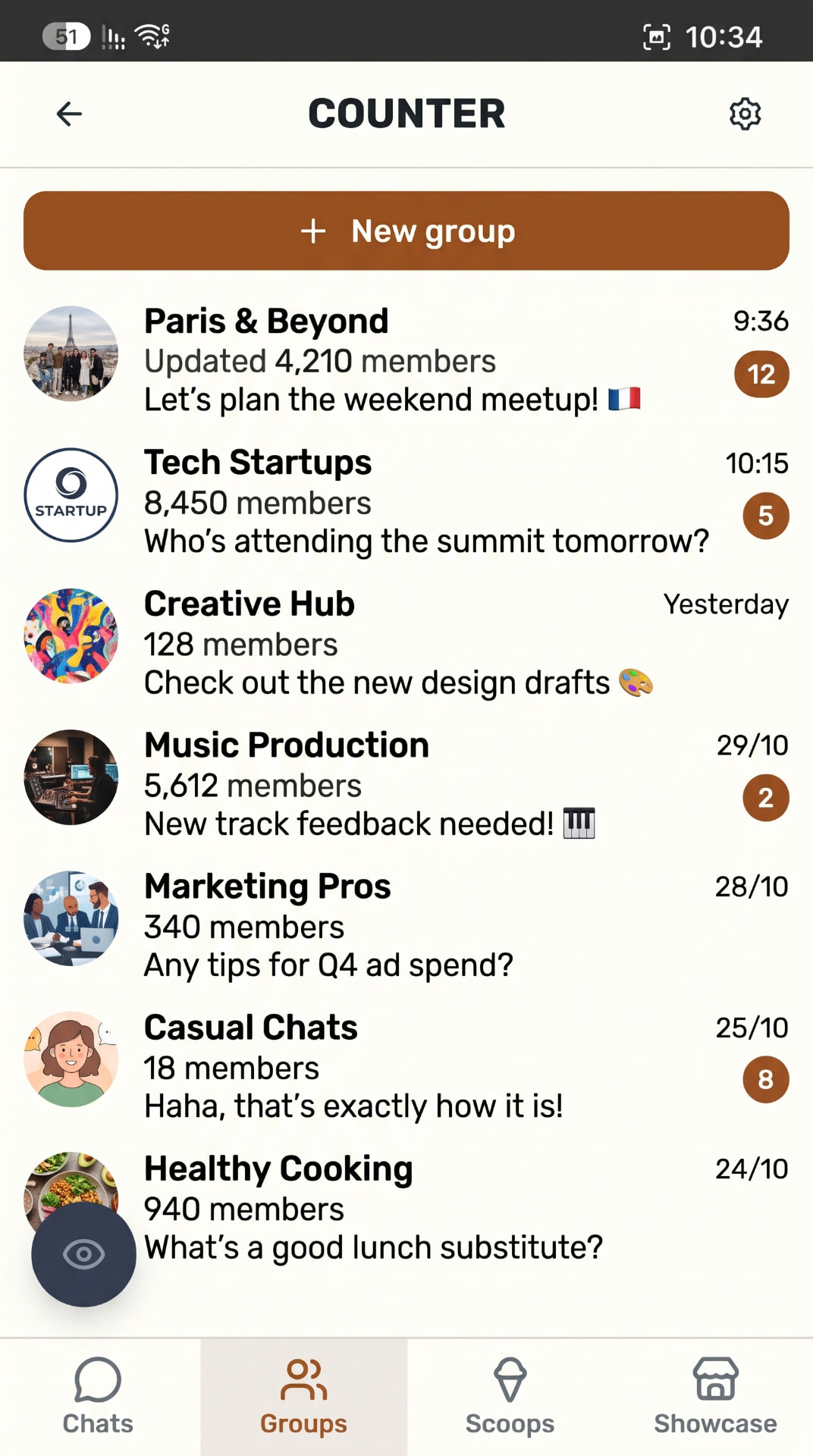
Open COUNTER and choose broadcasts for business updates or discussions for shared conversations.
Choose a clear name and add a picture that represents your business so customers recognise you.
Share the invitation link on your website and through your channels. Customers sign in and choose to join.
Post your first update, choose a pace that suits your audience and keep talking between visits.
Your Vanilla Market website presents your business and what you offer. Share your customer-community invitation link there so interested visitors can join. For a personal question, continue in a direct COUNTER conversation without turning every enquiry into a group discussion.
Create a Vanilla Market account, set up a broadcast or discussion group, choose a name and picture, and share an invitation link on your website and through your channels. Customers sign in and choose to join, and you begin posting updates and staying connected.
A COUNTER customer club is built around communication: business updates, shared conversations and personal enquiries. You can publish an offer your business chooses to provide, but COUNTER does not manage points accrual, coupon redemption or point-of-sale integrations.
For customers who choose to join, COUNTER can provide another channel for business updates and offers. Messages appear in the group; they are not sent as SMS or email to a contact list. It is a way to connect with community members, not a complete replacement for every marketing platform.
Broadcast groups support up to 10,000 participants, with only the creator posting. Discussion groups support up to 1,000 participants and all members can write. The creator and pending invitations count toward capacity.
Notifications depend on the app, permissions and each member's preferences. For mobile push, download Vanilla Market from Google Play and allow notifications. Groups with more than 100 active members default to quiet; each member can enable notifications in group settings. Not every message is guaranteed to trigger a notification or be read.
Group messages are visible to joined members. Clicking a member can take you to their public website, where you can see and use any contact details they chose to publish, or you can message them in COUNTER. Restricted message access does not hide members' websites or published contact details.
Start for free without a credit card or commitment, subject to service terms and account limits. COUNTER works in mobile, tablet and desktop browsers. For mobile push, use the Google Play app with the appropriate permissions. The iPhone version is not yet available in the App Store.
Create a community, invite people to join and begin your next conversation.
Start for free with COUNTER